Navigating the Sunrise Medical website doesn't have to feel overwhelming. With a variety of intuitive tools and features designed to simplify your search, you can quickly find the product that best meets your needs. Whether you're comparing models, filtering specifications, or searching HCPCS codes, these resources make the process faster, clearer, and more efficient.
Comparison Tool
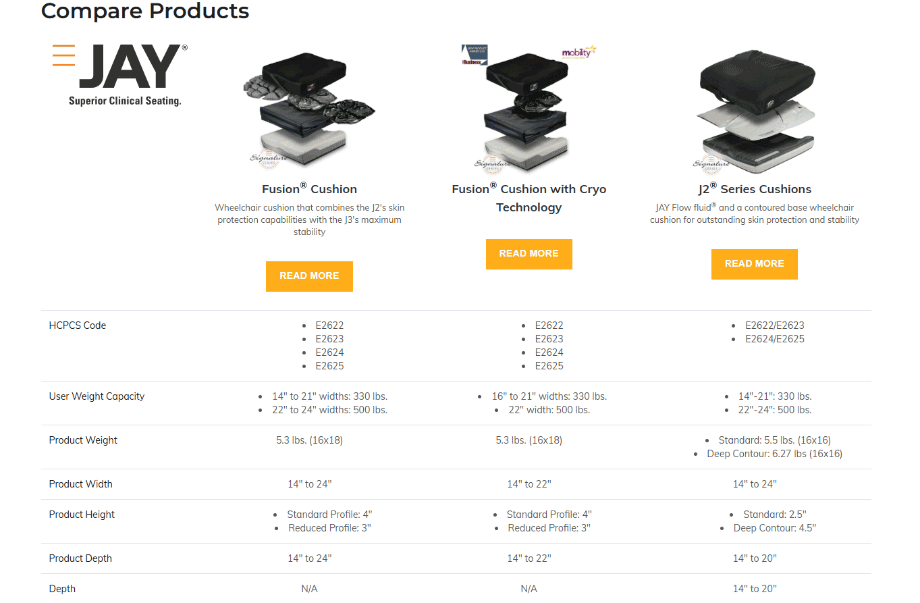
If you have narrowed the product selection down to a couple of choices and are looking for more specific side-by-side details, the comparison feature is the perfect tool for the job. You can easily compare different power or manual chair models to look at sizes, weights, HCPC codes, transit options, and seat-to-floor heights, among many other specifications. You can also compare seat cushions or backrests with the click of a button.
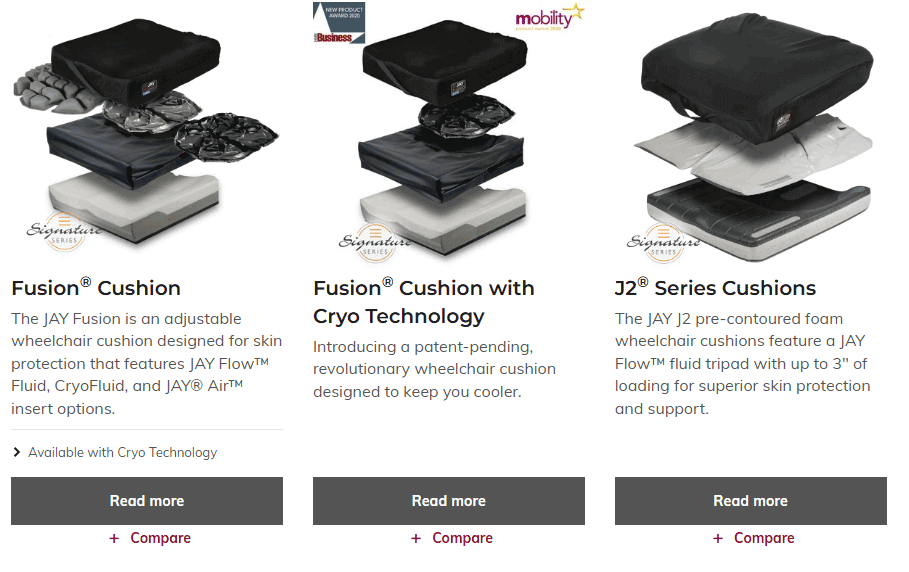
On any category page, by clicking on the "Compare" button on up to three different products, you can get a direct comparison of all the features on those products on one concise page.
Filtering
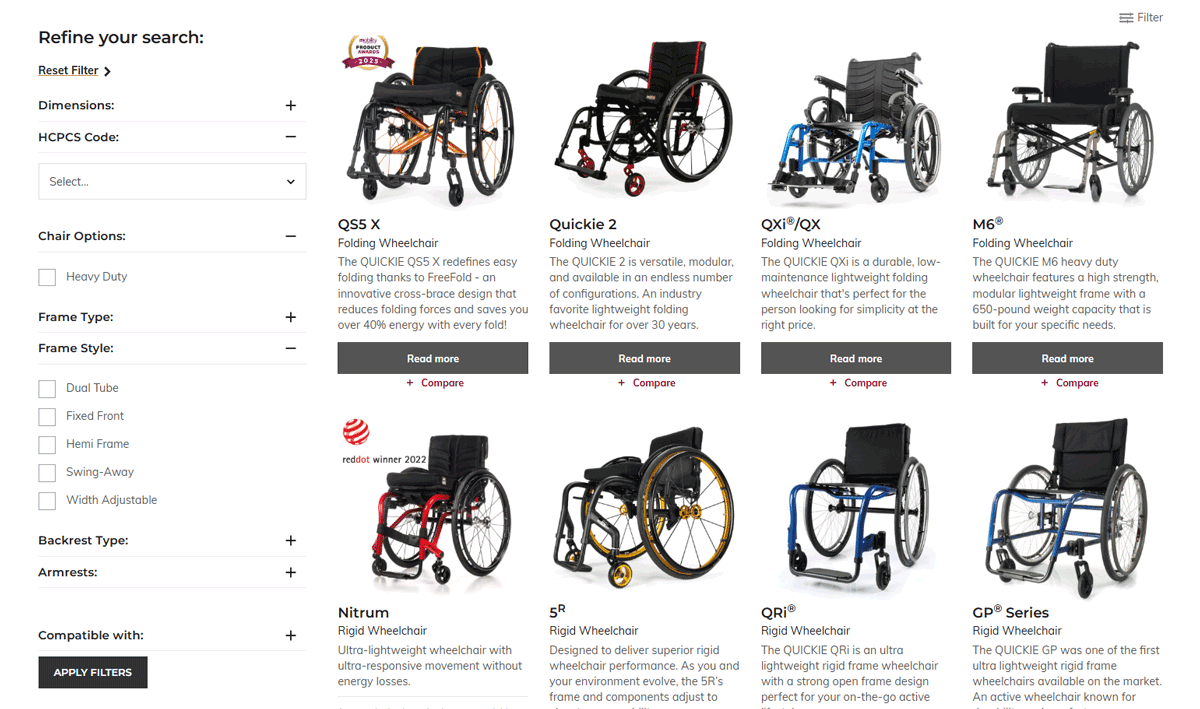
Another helpful feature on the website is the filter. This feature allows the user to filter and see only products that match the filter they set. For example, if looking at manual wheelchairs, you can filter the selections by dimensions, HCPCS code, chair options such as frame types; frame style; or backrest type, and what the chair is compatible with such as IV poles; O2 holders; or transit features/tiedowns.
Search
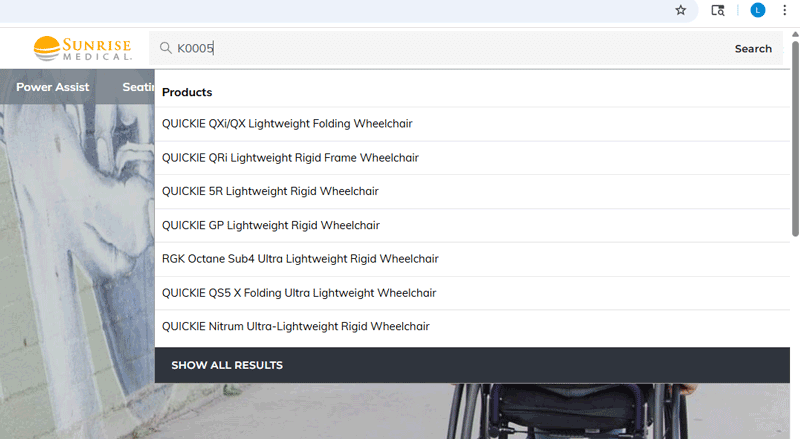
The search function is located in the top-right corner of the website. This can be a helpful feature to quickly navigate to a specific product. You can also type a HCPCS code into the search field and all products that fall under that code will be listed.
Related Education in Motion Resources
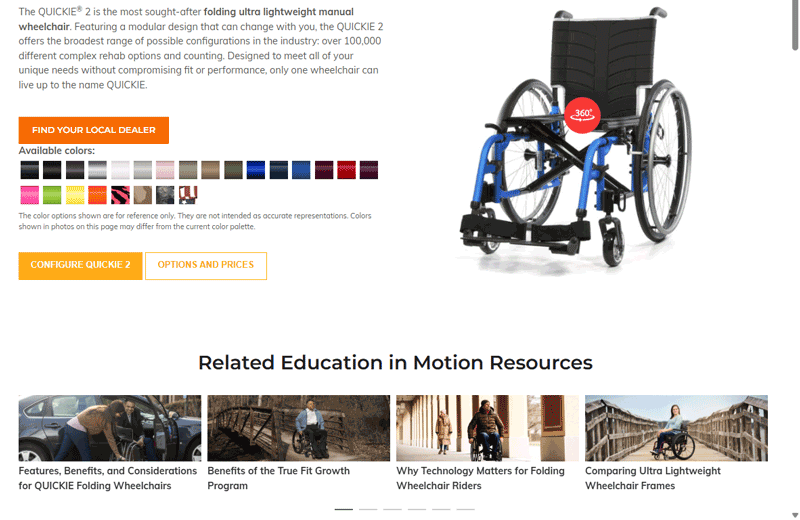
When you are logged in to your My Sunrise account on a product page, relevant Education in Motion resources are displayed for easy access. For example, the QUICKIE 2 product page lists a number of Education in Motion resources exploring a range of different topics.
Thanks to these easy-to-use tools, navigating the Sunrise Medical website is simpler than ever. Whether you're reviewing models or looking up HCPCS codes, you can feel confident knowing the resources you need are right at your fingertips.